Apple CarPlay vs Android Auto: Which Fits You Best in 2025
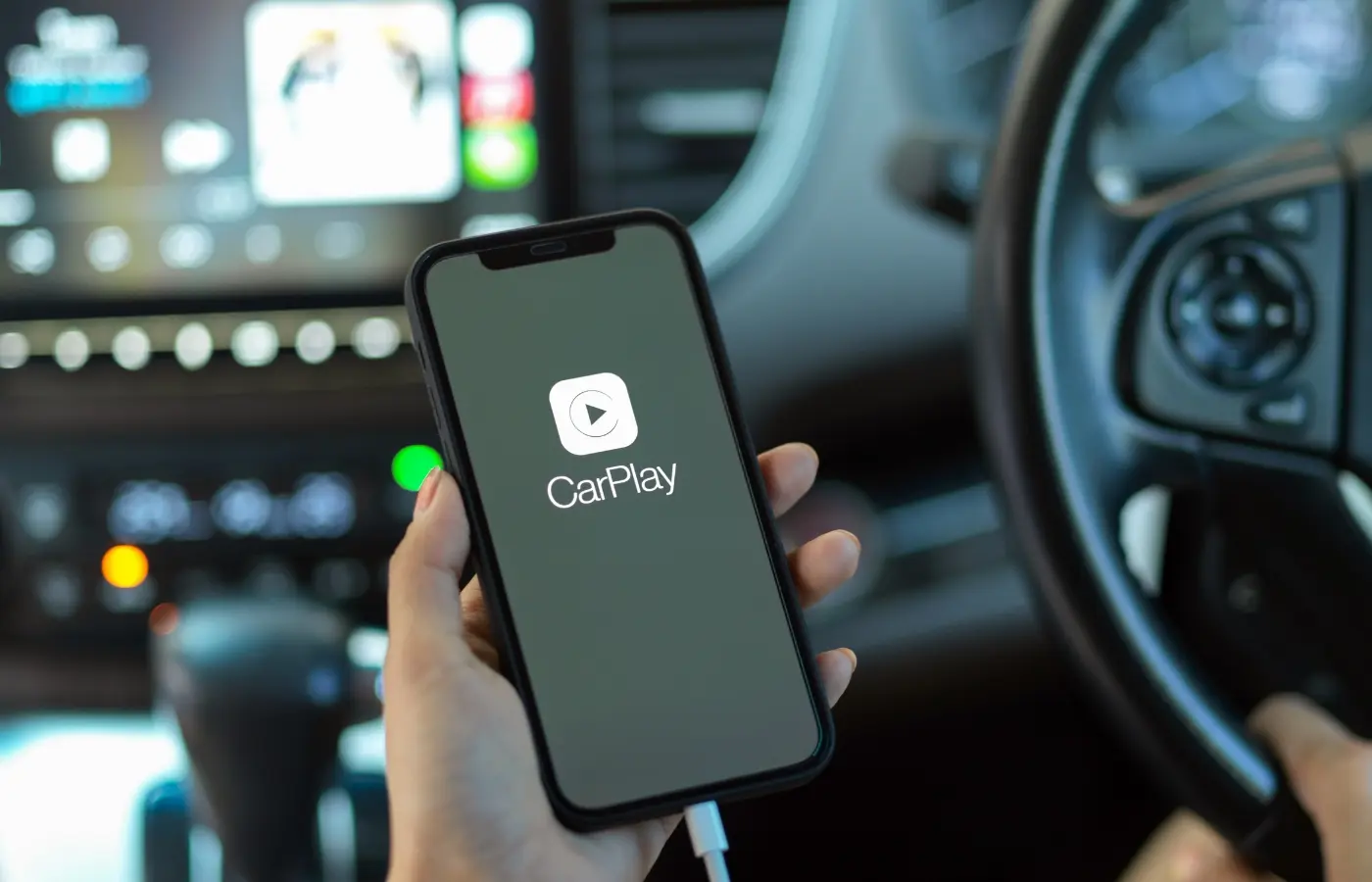
Apple CarPlay and Android Auto are phone-powered driving interfaces that put a simplified version of your iPhone or Android phone on your car’s screen. Connect your phone and you get big, glanceable buttons for navigation, music and podcasts, calls and messages, plus hands‑free control through Siri or Google Assistant. They route audio through your car’s speakers, work with steering‑wheel buttons and built‑in mics, and can run wirelessly or via USB depending on the vehicle. In short, they let your car use the apps you already trust, tuned for safer use while you drive.
This guide helps you choose the right fit for 2025. We’ll cover what both systems share, where they feel different, phone and vehicle compatibility (including the used market), wired vs. wireless behavior, reliability, maps and voice performance, app and audio support, safety and privacy, offline use, and special cases like Android Automotive and next‑gen CarPlay—plus picks by driver type and how to confirm support on any car.
What’s the same between CarPlay and Android Auto
No matter which side of the Apple CarPlay vs Android Auto debate you prefer, both deliver the same essentials: your phone powers the experience, a simplified interface appears on the car’s screen, and you control it by touch or voice with minimal distraction. Each focuses on safer, glanceable access to the apps you already use.
- Core apps: Calls, messages, navigation, music, podcasts, audiobooks.
- Hands‑free control: Siri or Google Assistant for voice commands.
- Connections: Works via USB or wirelessly on supported vehicles.
- In-car integration: Uses steering‑wheel buttons, built‑in mics, and your car’s speakers.
The biggest differences in how they feel to use
Day to day, Apple CarPlay vs Android Auto comes down to vibe. CarPlay feels like an iPhone: a tidy grid of big icons, consistent screens, and minimal choices that keep you focused on the road. Android Auto feels more dynamic: cards adapt to context, more info is visible at once, and small touches make multitasking simpler on long commutes.
- Interface style: CarPlay = simple grid and horizontal swipes; Android Auto = card-based layout with vertical scroll and more customization.
- Maps ergonomics: Android Auto makes exploring maps and alternate routes easier (pinch/pan, split views); CarPlay can feel more constrained with on‑screen controls.
- Media controls: Android Auto keeps a persistent media bar; CarPlay can look busier when juggling apps.
- Calls/alerts: Android Auto shows banners you can dismiss; CarPlay often takes over the screen.
- Overall polish: CarPlay tends to look cleaner; Android Auto surfaces more at-a-glance detail.
Device and OS compatibility in 2025
On the device side, Apple CarPlay vs Android Auto is straightforward: CarPlay is for iPhone users, Android Auto is for Android users. You can’t mix-and-match. Most modern phones work, but your experience (especially wireless) depends on your phone’s age and software, plus your vehicle or head unit.
- CarPlay: iPhone only; designed to mirror the iPhone interface and Apple apps.
- Android Auto: Android phones only; generally supports more third‑party apps.
- Work/personal phones: Both systems support easy switching, but only one active device at a time.
Vehicle support on the used market (years, trims, and options)
On the used market, Apple CarPlay vs Android Auto availability depends on year, trim, and option packages. Many late‑2010s vehicles added wired support; wireless became common in the early‑to‑mid 2020s. A handful of models offer wireless CarPlay but not wireless Android Auto, and smartphone integration is often bundled with tech or premium audio packages or tied to specific powertrains. Support spans hundreds of models, but it isn’t universal—verify the exact VIN.
- Check the build sheet/window sticker: Look for “Apple CarPlay/Android Auto” or “smartphone integration.”
- Confirm in photos/menus: Icons for CarPlay/Android Auto or “Projection” indicate support.
- Know the ports/options: Some USBs are charge‑only; wireless may require a higher trim.
Wired vs wireless connections
Both systems run over USB or wirelessly. Wired delivers dependable power and the most stable link; wireless trades the cord for convenience and auto‑reconnect after pairing. Because wireless rides on your car’s Wi‑Fi with Bluetooth handshakes, performance varies by vehicle hardware and phone.
- Wired: Stable connection and guaranteed charging; ideal for long trips.
- Wireless: No cable clutter, quick resume; a Qi pad helps maintain battery.
- Gotcha: Some cars offer wireless CarPlay but not wireless Android Auto—verify the exact trim/options.
Setup and day-to-day reliability
Getting started is simple: connect by USB or begin wireless pairing and approve the on‑screen permissions. After initial setup, you can run CarPlay or Android Auto via USB or wirelessly on supported vehicles. In daily use, reports consistently note that CarPlay tends to run a little more smoothly, while Android Auto shines with dismissible banners and persistent media controls—useful when multitasking.
- Expected behavior: CarPlay can remember multiple phones; Android Auto handles alerts and calls cleanly.
- Stability tips: Wired is the most reliable; wireless performance depends on your vehicle’s hardware and phone.
Navigation and maps performance
For navigation, Apple CarPlay vs Android Auto comes down to Google’s routing strength versus Apple’s clarity. Android Auto pairs tightly with Google Maps, which is widely praised for richer traffic data, smarter alternate routes, and easier map exploration (pinch/pan, quick detours, and Waze road‑hazard reports). CarPlay’s Apple Maps has matured with clean visuals, 3D landmarks, and confident lane guidance—and you can still use Google Maps or Waze on CarPlay. Android Auto also keeps map view visible with a persistent media bar and dismissible banners, while CarPlay more often goes full‑screen.
- Android Auto + Google Maps: Faster reroutes, better destination search.
- CarPlay + Apple Maps: Polished look, strong lane guidance.
- Both: Support Google Maps and Waze, live traffic, robust voice entry.
Voice assistants while driving
When you’re actually rolling, voice is the difference-maker in Apple CarPlay vs Android Auto. Both keep your hands on the wheel for calls, texts, music, and navigation, but they feel different. Siri excels at quick, direct commands and tight control of Apple apps. Google Assistant is more conversational, understands context and follow‑ups better, and consistently nails POI searches and on‑the‑fly requests—even in noisy cabins.
- CarPlay + Siri: Great for “call,” “message,” “play,” and Calendar/Apple Music tasks.
- Android Auto + Google Assistant: Stronger at natural queries, business searches, and follow‑ups.
- Noisy environments: Assistant generally parses accents/background noise more reliably; Siri stays solid for basics.
Apps and media options
In Apple CarPlay vs Android Auto, your apps and media decide the feel. Both mirror core entertainment and communication, and most big streaming names are available. The key split: Android Auto typically supports more third‑party apps and messaging, while CarPlay’s tight Apple integration benefits Calendar and Apple Music. Both can run Google Maps or Waze.
- Music/podcasts: Spotify, Apple Music, YouTube Music, Amazon Music, and Audible on both.
- Messaging: Android Auto supports more platforms; CarPlay remains selective and safety‑focused.
- Calendar: CarPlay’s calendar view is richer; Android Auto shows basics.
Audio quality and sound integration
In Apple CarPlay vs Android Auto, fidelity rarely hinges on the platform. Sound quality mostly depends on your car’s amp/speakers, the head unit, the app’s bitrate, and wired vs wireless connection. Both can sound excellent; differences you notice are typically vehicle-related.
- Wired USB: most stable signal and charging; fewer skips and pops.
- Wireless: convenient; occasional buffering depends on vehicle radio hardware.
- Controls/metadata: steering buttons, album art, and track info work on both.
Safety, distraction, and driver assistance tie-ins
On safety, both platforms aim to reduce phone handling but still demand attention—Asurion notes distraction remains the biggest concern, and the safest use is via voice. In Apple CarPlay vs Android Auto, Android Auto’s dismissible banners and persistent media bar help minimize context switches, while CarPlay’s full‑screen call UI can be more intrusive. Neither system controls your car’s driver‑assistance features; they run alongside them. Treat maps and voice as complements to lane‑keeping, ACC, and parking aids—not replacements.
- Use voice first: Rely on Siri or Google Assistant.
- Trim alerts: Limit notifications to essentials to cut glance time.
- Prefer stability: Wired on long trips reduces reconnect fiddling and battery drain.
Privacy and data control
Privacy is a real separator in Apple CarPlay vs Android Auto. Multiple reviews note CarPlay’s stronger privacy stance, while Android Auto typically involves more data collection tied to Google services. Both need location and voice input for navigation/assistants, and some automakers are limiting these platforms to keep more in‑car data for themselves.
- Apple tilt: CarPlay is often cited for stronger privacy controls.
- Google tilt: Android Auto generally collects more usage data for services.
- Your controls: Manage app permissions (location, contacts, messages), trim notification previews, and review Siri/Assistant settings tied to your Apple/Google account.
Offline and low-signal use
When the bars drop, Apple CarPlay vs Android Auto behaves a bit differently. Testing cited in buyer guides notes CarPlay generally handles offline conditions better, while Android Auto leans more on a live data connection. Either way, plan ahead: set your route before you roll and keep entertainment ready so dead zones don’t derail your drive.
- Set routes early: Start navigation while you still have signal.
- Cache media: Download playlists and podcasts to your phone.
- Stabilize the link: Use wired USB in fringe areas to maintain connection and charging.
Special cases to know: Android Automotive OS and next‑gen CarPlay
Two edge cases matter as you shop. Android Automotive OS is a built‑in infotainment system that runs apps without your phone; depending on the brand, it may still include Apple CarPlay and Android Auto—or omit them entirely as some automakers chase in‑car data. Apple’s next‑gen CarPlay aims for deeper, beyond‑the‑home‑screen integration, but adoption varies by maker and model year, so availability can differ from marketing images.
- Does it support CarPlay/Android Auto (wired or wireless)?
- If Android Automotive OS, which core apps are included?
- Any subscriptions or data permissions required for features?
Quick recommendations by driver type
Choosing fast? Match the driver, not the logo. Lean into strengths: CarPlay’s clean, consistent UI and stronger privacy; Android Auto’s richer notifications, persistent media bar, and Google Maps depth. Below are quick picks by scenario to reach a confident decision. If two apply, prioritize what you do most.
- iPhone‑first: CarPlay for seamless fit and smoother feel.
- Google services/Android user: Android Auto for Assistant, Maps, customization.
- Long daily commutes: Android Auto for alerts, split views, quicker reroutes.
- Family co‑pilots/kids: CarPlay for simpler screens and fewer taps.
- Rideshare/delivery: Android Auto for banner calls/messages and map multitasking.
- Rural/offline trips: CarPlay tends to handle low‑signal better.
- Privacy‑focused: CarPlay’s tighter data posture.
- Tech‑averse/older drivers: CarPlay’s larger, consistent layouts.
- Power users/many messaging apps: Android Auto’s wider app support.
How to make sure your next car supports your choice
Because support varies by year, trim, and options, confirm at the VIN level before you fall in love with a car. Decide if you need wired, wireless, or both, and test with your actual phone. Note that some vehicles offer wireless CarPlay but not wireless Android Auto, so don’t assume parity across trims.
- Scan the listing/build sheet: Look for “Apple CarPlay/Android Auto” and whether it’s wired or wireless.
- Open the menus: Icons for CarPlay/Android Auto (or “Phone Projection”) are good signs.
- Test both ways: Plug in via USB and try wireless; verify steering‑wheel buttons, mic, and audio.
- Check the ports: Some USBs are charge‑only; use the data port for setup.
- Verify options by VIN: Smartphone integration may be bundled with tech or premium audio packages.
FAQs
Here are quick answers to the Apple CarPlay vs Android Auto questions we hear most. Use these to check boxes during a test drive or VIN check—especially around wireless capability, map behavior, and safety. If you want deeper context, the sections above expand on each point.
- Can I use them wirelessly? Yes, if supported; otherwise use USB. Some trims offer wireless CarPlay but not wireless Android Auto.
- Which maps are better? Android Auto + Google Maps reroutes faster; CarPlay looks cleaner. Both support Google Maps/Waze.
- Are they actually safer? They reduce phone handling, but distraction remains—use voice commands whenever possible.
- Are automakers dropping them? Some brands limit or omit them to keep data/control; availability varies by model year.
Make the smart pick for your daily drive
By now you don’t need a brand loyalty speech—you need a setup that makes every mile easier. If you live in Apple’s world and want clean, predictable screens, choose CarPlay. If you crave richer notifications, Google Maps depth, and more app flexibility, Android Auto fits. Either way, the car matters: year, trim, and options decide wired vs wireless and day‑to‑day feel. Bring your phone and test it.
Ready to buy with confidence? Browse our inventory and we’ll verify CarPlay/Android Auto support by VIN, confirm wired/wireless, and let you try both on a test drive. We can set up your phone, label the right USB port, and walk you through best‑practice settings. Start here with Certified AutoBrokers and make the smart pick for your daily drive.