
How To Build A Car Loan Amortization Schedule In Minutes
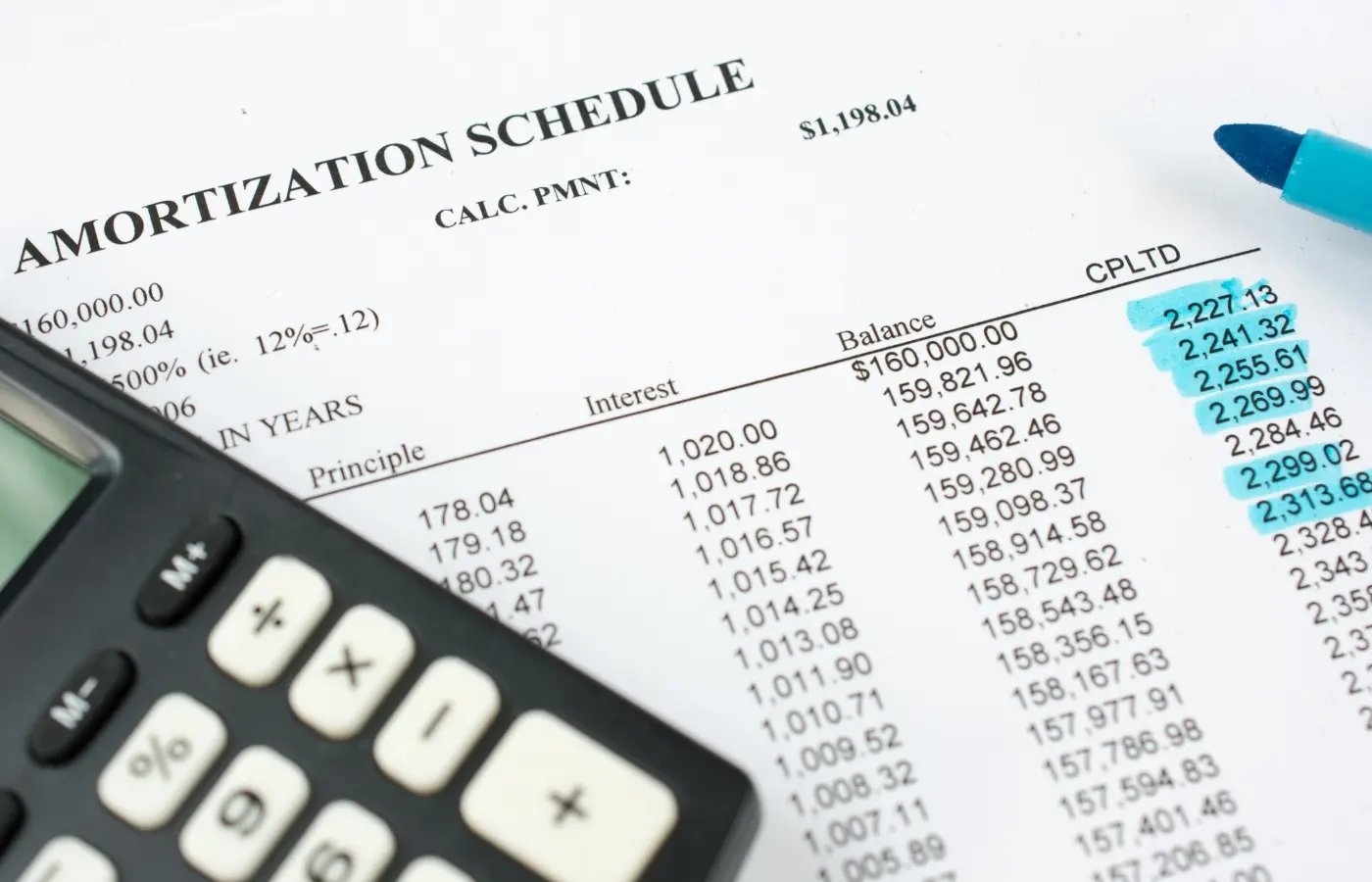
You just signed papers on a car loan and now you want to know exactly where your money goes each month. Your lender probably gave you a monthly payment amount, but that number tells you nothing about how much interest you're paying or how quickly you're building equity in your vehicle. Without seeing the breakdown, you're driving blind financially.
Creating your own amortization schedule gives you complete visibility into every payment. You'll see exactly how much of each payment chips away at the principal balance versus how much the lender collects in interest. You can build one in minutes using Excel, Google Sheets, or a free online calculator.
This guide walks you through four practical ways to create a car loan amortization schedule. You'll learn what information you need to gather, how to set up the formulas in a spreadsheet, how to use online calculators for quick results, and how to model different payoff strategies. By the end, you'll have a clear roadmap of your entire loan.
What a car loan amortization schedule shows
A car loan amortization schedule displays every payment you'll make over the entire life of your loan in a detailed table format. Each row represents one monthly payment and breaks down exactly how much goes toward interest versus principal. The schedule starts with payment one and continues through your final payment, showing your declining balance month by month.
Payment breakdown columns
Your schedule includes several critical columns that paint the full financial picture. The payment number column counts from one to your total number of payments (60 months for a five-year loan, 72 for a six-year loan). The payment amount column shows your monthly bill, which typically stays the same throughout the loan unless you have a variable rate.
The principal portion tells you how much of each payment reduces your actual loan balance. The interest portion reveals what the lender charges you for borrowing the money. Early in your loan, you'll notice the interest portion dwarfs the principal portion, but this ratio flips as you progress through the schedule.
The beginning balance shows what you owe before that month's payment, while the ending balance shows what remains after you pay.
Total cost calculation
At the bottom of your car loan amortization schedule, you'll find summary figures that reveal the true cost of financing. The total principal equals your original loan amount, while the total interest shows every dollar you'll pay in financing charges over the full term. Adding these together gives you the total amount you'll pay for your vehicle. This final number often surprises buyers who focus only on monthly payments instead of the complete cost.
Step 1. Collect your loan numbers
Before you can build a car loan amortization schedule, you need to gather four essential numbers from your loan documents. These figures form the foundation of every calculation in your schedule. You can find all of this information in your loan agreement or financing contract that you received when you purchased your vehicle. If you're still shopping for a loan, you can use estimated figures from your lender's quote to project what your schedule will look like.
Required loan details
Your amortization schedule requires four specific data points to calculate accurately. First, you need the loan principal, which is the total amount you borrowed (not the vehicle price). Second, you need the annual interest rate expressed as a percentage. Third, you need the loan term stated in months. Fourth, you need your monthly payment amount if it's already calculated.
Gather these exact numbers from your paperwork:
- Loan principal: The financed amount (example: $28,500)
- Annual interest rate: The APR without the percentage sign (example: 6.75)
- Loan term: Total months of repayment (example: 72)
- Monthly payment: Your required payment (example: $467.23)
Your loan contract clearly lists all four numbers, usually on the first or second page in a summary box.
Optional information
You might also want to collect your first payment date and any information about prepayment penalties. The payment date helps you label each row in your schedule with the actual calendar month. Knowing whether your lender charges prepayment penalties determines whether modeling extra payments makes practical sense. Some lenders discourage early payoff by charging fees, while others allow you to pay ahead without penalty. This information appears in the terms and conditions section of your loan agreement.
Step 2. Build the schedule in Excel or Google Sheets
Building a car loan amortization schedule in a spreadsheet gives you complete control over your calculations and the ability to modify variables instantly. Both Excel and Google Sheets use the same formulas, so you can follow these instructions regardless of which platform you prefer. You'll create five main columns that track your payment number, beginning balance, payment amount, interest portion, principal portion, and ending balance across every month of your loan.
Set up your column headers
Start by opening a new blank spreadsheet and creating your header row in row 1. In cell A1, type "Payment #". In B1, type "Beginning Balance". In C1, type "Payment Amount". In D1, type "Interest". In E1, type "Principal". In F1, type "Ending Balance".
Above your headers, create a loan details section where you'll store your key numbers. In cells A3 through A6, type these labels: "Loan Amount", "Annual Rate", "Loan Term (months)", and "Monthly Payment". Enter your actual loan figures in column B next to each label. For example, if you borrowed $28,500 at 6.75% for 72 months, you'd put 28500 in B3, 0.0675 in B4, 72 in B5, and your calculated payment in B6.
Enter your loan formulas
Your first row of calculations starts in row 8 (leaving row 7 blank for visual spacing). In cell A8, type the number 1 for your first payment. In cell B8, enter =B3 to pull your loan amount as the beginning balance. Cell C8 should reference your monthly payment with =B6.
Calculate the interest portion in cell D8 using this formula: =B8*($B$4/12). This formula multiplies your beginning balance by your monthly interest rate (annual rate divided by 12). The dollar signs create absolute references so the formula always points to your annual rate when you copy it down.
In cell E8, enter =C8-D8 to calculate how much of your payment reduces the principal. Cell F8 needs the formula =B8-E8 to show your ending balance after subtracting the principal portion.
Locking cell references with dollar signs ensures your formulas keep pointing to the correct loan details when you copy them down the schedule.
Complete the payment schedule
Row 9 begins your second payment calculation. In A9, type 2 for the payment number. Cell B9 needs =F8 because your beginning balance equals the previous month's ending balance. Copy cells C9 through F9 by selecting C8:F8, copying those cells, and pasting into C9:F9.
Now select the entire row 9 (cells A9 through F9) and copy it. Paste this row repeatedly until you reach your final payment number. For a 72-month loan, you'd paste until row 79 (payment 72 in cell A79). Your final ending balance in column F should show $0.00 or a number within a few cents of zero.
Add summary totals
Below your last payment row, create total calculations that sum your interest and principal columns. If your last payment is in row 79, skip to row 81. In cell D81, enter =SUM(D8:D79) to total all interest charges. In cell E81, enter =SUM(E8:E79) to total all principal payments. These two numbers combined show your complete loan cost over the full term.
Format your spreadsheet by highlighting the entire data range and applying currency formatting with two decimal places. Bold your header row and totals row to make them stand out. You can also freeze the top rows by selecting row 8, clicking View, then Freeze, then "Freeze 7 rows" so your headers remain visible when scrolling through your schedule.
Example Formula Reference:
D8: =B8*($B$4/12)
E8: =C8-D8
F8: =B8-E8
B9: =F8
Step 3. Create your schedule with an online calculator
Online calculators provide instant results without requiring any spreadsheet knowledge or formula setup. You enter your loan details into a web form, click a button, and receive a complete car loan amortization schedule in seconds. These tools work perfectly when you need quick answers or want to verify the accuracy of a spreadsheet you built manually.
Finding a reliable calculator
Search for "car loan amortization calculator" and look for tools from financial institutions or established finance websites. Most calculators display the same basic interface with input fields for your loan amount, interest rate, and term length. Avoid calculators that require registration or email submission before showing results. The best tools provide immediate access to your schedule without collecting personal information.
Generate and review your results
Enter your loan principal in the amount field (example: $28,500). Type your annual interest rate as a percentage (example: 6.75). Select or enter your loan term in months (example: 72). Click the calculate button to generate your schedule. The calculator displays your monthly payment amount at the top, followed by a detailed table showing every payment breakdown.
Most calculators let you print the schedule directly or copy the data into a spreadsheet for further customization.
Review the total interest figure at the bottom of your schedule. This number reveals the complete financing cost you'll pay beyond the vehicle's purchase price. Compare this total across different loan terms to see how lengthening or shortening your repayment period affects your overall expense.
Step 4. Model extra payments and payoff strategies
Your car loan amortization schedule becomes a powerful planning tool when you add extra payment modeling. You can test different prepayment scenarios to see exactly how much interest you'll save and how many months you'll cut from your loan. This step transforms your schedule from a passive tracking document into an active decision-making resource that shows the financial impact of paying ahead.
Adding extra payment columns
Expand your spreadsheet by creating a new column G labeled "Extra Payment" next to your ending balance column. In each cell of this column, you can enter any additional amount you plan to pay that month. Modify your ending balance formula in column F to subtract both the principal portion AND the extra payment: =B8-E8-G8.
When you enter an extra payment amount in column G, your schedule automatically recalculates all subsequent rows. The loan payoff date moves up, and your total interest decreases. Test this by entering $100 in cell G8 and watching your final payment row shift upward as the loan balance reaches zero faster.
Testing different scenarios
Run multiple what-if analyses by trying different extra payment strategies in your schedule. Start with a consistent monthly addition (like an extra $50 or $100 every month) by entering that amount in G8 and copying it down through all payment rows. Compare this against one-time lump payments, such as applying your tax refund or year-end bonus to the principal.
Testing various prepayment scenarios in your car loan amortization schedule reveals which strategy saves the most money based on your actual cash flow patterns.
Calculate your interest savings by comparing the total interest figure at the bottom of your original schedule against the modified version with extra payments. A $100 monthly addition on a $28,500 loan at 6.75% over 72 months typically saves over $2,500 in interest and cuts roughly 14 months from your repayment term. Your schedule shows these exact figures based on your specific loan terms, giving you concrete data to justify the extra expense.
Next steps
You now have the tools to build a complete car loan amortization schedule and understand exactly how your monthly payments break down. Your schedule reveals the true cost of financing and empowers you to make informed decisions about extra payments that accelerate your payoff timeline.
Start by creating your schedule using one of the methods outlined above. Update it regularly if you make extra payments so you maintain accurate tracking of your progress toward loan payoff. Set calendar reminders to review your schedule quarterly and celebrate milestones as your balance decreases.
If you're shopping for your next vehicle, use your new knowledge to evaluate loan offers more critically. Compare the total interest costs across different terms rather than focusing solely on monthly payment amounts. Ready to find your next car? Explore our inventory of quality used vehicles and apply your amortization knowledge to secure the best financing terms for your budget.